Drupal Day 2023

Francisco Almeida
Session
Introduction to Cookies
handling cookies in the context of Drupal
Francisco Almeida
(Co Founder Pictonio + Drupal Developer)
https://pictonio.com (# IS HIRING #)
Agenda
- Definition of cookies and their purpose.
- Cookies in Drupal
- Customize cookie handling in Drupal
- Presenting practical examples
- Q&A + Quiz
FSL
Enjoy the rest of the Event
Definition of Cookies
Introduction to Cookies
- What are Cookies?
- Purpose of Cookies
- Lifecycle of Cookies
Reference: https://httpwg.org/http-extensions/draft-ietf-httpbis-rfc6265bis.html
Definition of Cookies (1)
What are Cookies?
- A cookie is a small piece of information left on a visitor's computer by a website, via a web browser;
Definition of Cookies (2)

Definition of Cookies (3)
Purpose of Cookies
- Cookies are used to personalize a user's web experience with a website;
- A user can customize their web browser to accept, reject, or delete cookies;
Definition of Cookies (4)
Main purposes
- Session management
- Logins, shopping carts, game scores, or anything else the server should remember
- Personalization
- User preferences, themes, and other settings
- Tracking
- Recording and analyzing user behavior
Definition of Cookies (4)
Lifecycle of Cookies:
- Session Cookies
- deleted when the current session ends
- Permanent Cookies
- deleted at specified date
- Secure Cookie
- httponly cookie
- Restrict access to cookies
- prevent XSS attacks
- SameSite cookie
Check cookies script
// Function to get all cookies function listCookies() { const cookies = document.cookie.split("; "); if (cookies.length === 0) { console.log("No cookies found on this page."); return; } console.log("Cookies on this page:"); for (let i = 0; i < cookies.length; i++) { const cookie = cookies[i].split("="); const name = decodeURIComponent(cookie[0]); const value = decodeURIComponent(cookie[1]); console.log(`${name}: ${value}`); } } // Call the function to list all cookies listCookies();
// Function to get all cookies function listCookies() { const cookies = document.cookie.split("; "); if (cookies.length === 0) { console.log("No cookies found on this page."); return; } console.log("Cookies on this page:"); for (let i = 0; i < cookies.length; i++) { const cookie = cookies[i].split("="); const name = decodeURIComponent(cookie[0]); const value = decodeURIComponent(cookie[1]); console.log(`${name}: ${value}`); } } // Call the function to list all cookies listCookies();
Delete cookies script
// Function to delete a cookie function deleteCookie(name) { document.cookie = name + "=; expires=Thu, 01 Jan 1970 00:00:00 UTC; path=/;"; console.log(`Deleted cookie: ${name}`); } // Function to delete all cookies function deleteAllCookies() { const cookies = document.cookie.split("; "); for (let i = 0; i < cookies.length; i++) { const cookie = cookies[i].split("="); deleteCookie(cookie[0]); } console.log("All cookies deleted."); } // Call the function to delete all cookies deleteAllCookies();
Cookies in Drupal
In the context of Drupal, cookies play a crucial role in various aspects of website functionality. Here's a more detailed exploration of how cookies are used in Drupal:
Session Management
Drupal uses cookies to manage user sessions. When a user logs in, a session cookie is often created. This cookie helps Drupal identify the user as they navigate the website, ensuring they remain logged in until they explicitly log out or the session expires.
User Authentication:
Cookies are used to authenticate users. Drupal sets cookies to validate that a user has the necessary permissions to access certain parts of the site. If a user doesn't have the right permissions or is not authenticated, they may be redirected to a login page.
User Preferences
Cookies can store user preferences and settings. For example, a user might choose a specific language, theme, or content layout. Drupal can use cookies to remember these preferences and apply them whenever the user visits the site.
Tracking and Analytics
Cookies can be used for tracking user behavior. Drupal can integrate with analytics tools that use cookies to gather data about how users interact with the website. This information is valuable for improving the user experience and content delivery.
Forms and CSRF Protection
Drupal uses cookies as part of its security measures. Cross-Site Request Forgery (CSRF) protection relies on cookies to confirm that a form submission comes from an authenticated and authorized user.
Cache Control
Drupal can use cookies to control caching. For example, if a user is logged in, personalized content might not be cached to ensure that each user sees their unique content.
Reference: https://www.lakedrops.com/en/blog/control-drupals-page-cache-cookies
Third-Party Integrations
When integrating third-party services like social media plugins or advertising networks, Drupal might use cookies to facilitate these integrations.
These third-party cookies can raise privacy and compliance considerations.
Remembering Shopping Carts
In e-commerce sites built with Drupal, cookies are used to remember the contents of a user's shopping cart, even if they navigate away from the cart page.
Cookie Consent
Drupal provides tools for handling cookie consent in compliance with privacy regulations like GDPR. Websites can use Drupal modules to display cookie consent banners and allow users to manage their cookie preferences.
Problem: https://www.drupal.org/project/cookies/issues/3364470
Custom Cookie Management
Drupal allows developers to create and manage custom cookies for specific site requirements. These cookies can store data that enhances the user experience or supports specific site functionalities.
Customizing cookies in Drupal
Customizing cookie handling in Drupal modules and themes allows you to tailor how cookies are created, manipulated, and used to meet specific requirements.
Custom module (1)
1. Creating a Custom Cookie in a Module: You can create a custom cookie in a Drupal module to store and retrieve specific data. Example:
/**
   * Controller function to set a custom cookie.
   */
  public function setCustomCookie()
  {
    // Define the cookie parameters.
    $cookieName = 'custom_cookie';
    $cookieValue = 'example_value';
    $expiration = time() + 3600; // Cookie will expire in 1 hour (adjust as needed).
    $path = '/';
    $domain = ''; // Use your domain if needed, e.g., 'example.com'
    $secure = TRUE; // Set to TRUE if the cookie should only be sent over HTTPS.
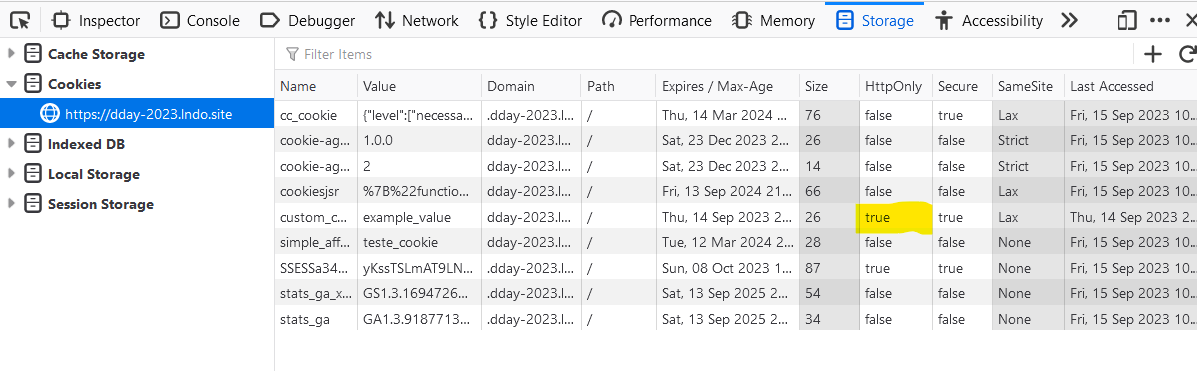
    $httpOnly = TRUE; // Set to TRUE to make the cookie accessible only via HTTP, not JavaScript.

    // Create a new Cookie instance.
    $cookie = new Cookie(
      $cookieName,
      $cookieValue,
      $expiration,
      $path,
      $domain,
      $secure,
      $httpOnly
    );

    // Create a response object and add the cookie to it.
    $response = new Response();
    $response->headers->setCookie($cookie);

    // Return the response.
    return $response;
  }
Custom Module (2)
2. Reading a Custom Cookie: You can read the value of a custom cookie in your module or theme when needed. For example:
// Read the custom cookie.
$cookie_name = 'custom_cookie';
$cookie_value = \Drupal::request()->cookies->get($cookie_name);

// Use the cookie value.
if (!empty($cookie_value)) {
  // Do something with $cookie_value.
}
Custom module (3)
3. Modifying a Custom Cookie: You can modify the value or parameters of a custom cookie during a user's session:
use Symfony\Component\HttpFoundation\Cookie;

// Retrieve the existing cookie value.
$cookie_name = 'custom_cookie';
$cookie_value = \Drupal::request()->cookies->get($cookie_name);

// Modify the value.
$new_value = 'new_example_value';

// Update the existing cookie.
$cookie = new Cookie(
  $cookie_name,
  $new_value,
  $expiration,
  $path,
  $domain,
  $secure,
  $http_only
);

// Add the updated cookie to the response.
\Drupal::response()->headers->setCookie($cookie);
Custom module (4)
4. Deleting a Custom Cookie: You can delete a custom cookie by setting its expiration time to a past date. This effectively removes the cookie from the user's browser:
use Symfony\Component\HttpFoundation\Cookie;

// Expire the custom cookie to delete it.
$cookie_name = 'custom_cookie';
$expiration = time() - 3600; // Set expiration to the past.

// Create an expired cookie.
$cookie = new Cookie(
  $cookie_name,
  '',
  $expiration,
  $path,
  $domain,
  $secure,
  $http_only
);

// Add the expired cookie to the response to delete it.
\Drupal::response()->headers->setCookie($cookie);
Practical Examples
Presenting practical examples or scenarios to apply the knowledge learned during the session.
Cookie Consent
Use case 1
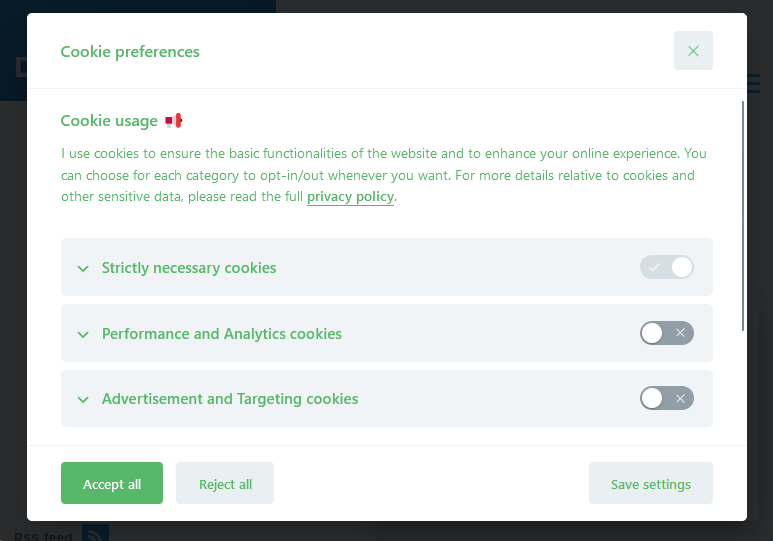
- gov.pt site where you need to give consent before any cookie could be saved:
- Ex: Google Analytics, Youtube
- We where using this module - https://www.drupal.org/project/cookies
Use Case 1
Problems
- Customizing the output Cookies Module:
- Dealing with GA4 issue:
Use Case 1
Solution
- Using external cookie consent plugin written in plain javascrip
- https://github.com/orestbida/cookieconsent
- This was already using by gov.pt team in other projects
- Easy to setup & configure:
- Drupal approach: https://github.com/masterwebsk/cookieconsent
Use Case 1
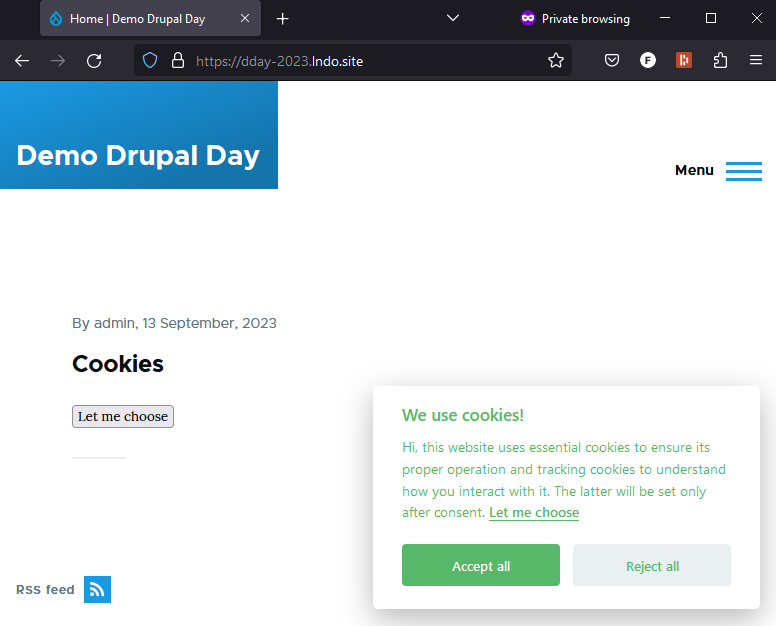
Use Case 1
IFrame Loading
Use case 2
- Loading IFrames without consent given:
- Editors were using Iframes in body content:
- Google Maps (after paying for maps API);
- Youtube and Vimeo videos;
- Editors were using Iframes in body content:
Use Case 2
Solution
- IFRAME Manager:
- How to apply this approach to Drupal?
- preproccess HTML;
- replace IFRAME HTML tag with IFrame Manager API;
- Client Side checks for consent;
Use Case 2
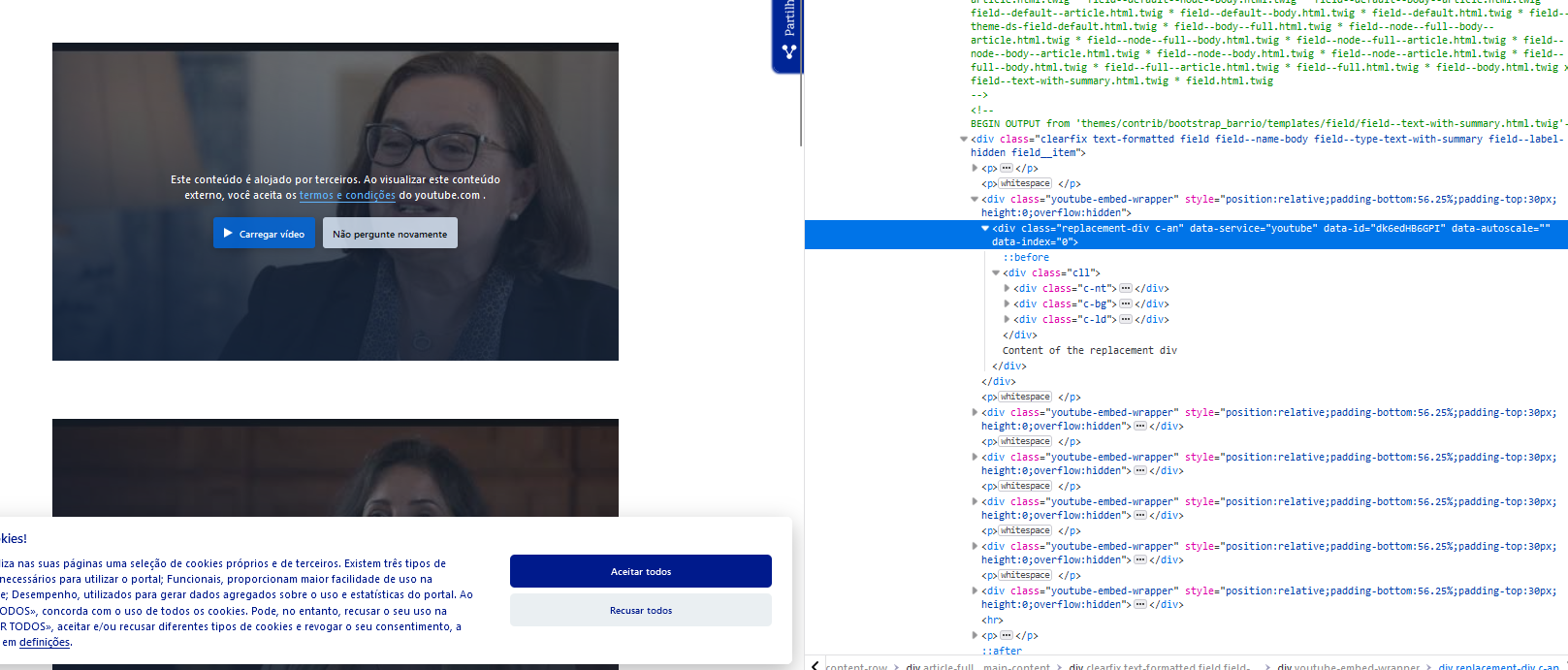
Use Case 2
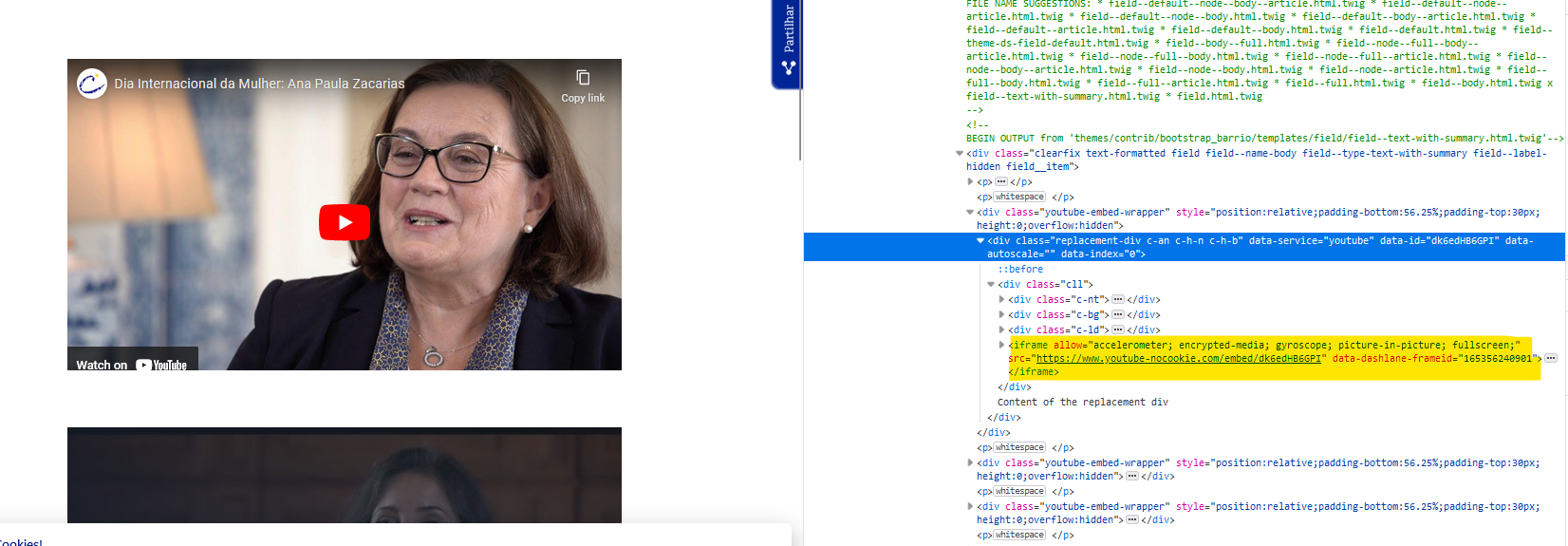
Recapcha (1)
- When integrating recaptcha into Drupal:
- Still work in progress;
- Additional information
Recapcha (1)
The COOKiES reCAPTCHA module integrates the drupal/recaptcha module to the COOKiES user consent management. The recaptcha widget will not be loaded and no trackable data will be sent to Google while users have not given their confirmation.
TODO: to be tested
Troubleshouting Tips (1)
- Use incognito mode
- Inspect with "Developer Tools"
- Check module configurations (lots of options available)
- Test in different Browsers
Troubleshouting Tips (2)
Q&A
Questions?
Quiz
Which security feature prevents JavaScript from accessing cookies?
- SameSite attribute
- HttpOnly flag
- Secure flag
- Domain restriction